After several months of exchanges with you users, our team has collected, gathered and materialized the evolutions that seemed necessary for the evolution of our collaborative platform WAY-CORP.
What are the new features?
I- A simplified and standardized process:
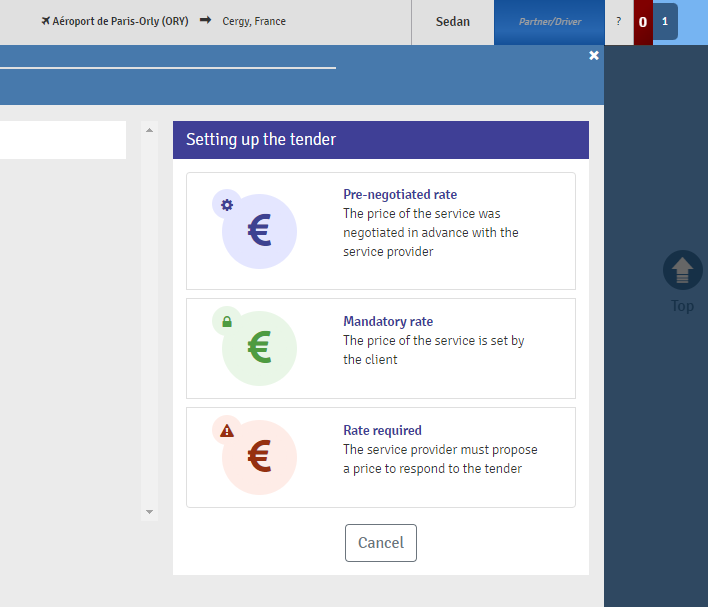
Your DTR sending process are now divided into 3 simple modes:
-Pre-negotiated rate;
-Mandatory Rate;
-Rate required;
Each sending process is detailed to you.
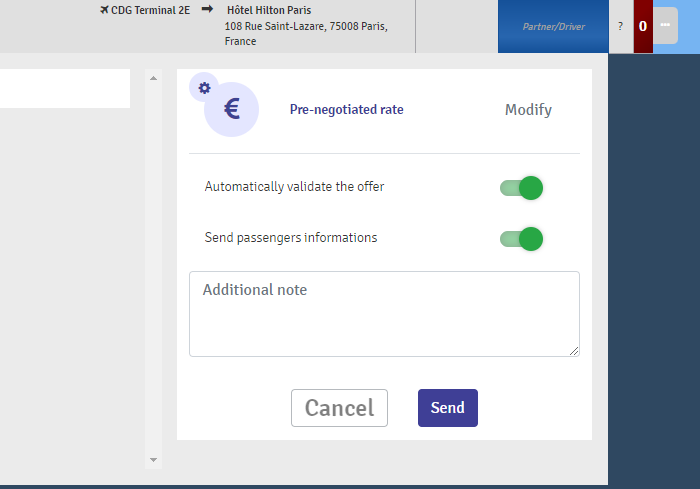
You also decide whether or not to transmit passenger information before acceptance, as well as a possible automatic validation.
Automatic validation is only possible on the "Pre-negotiated Rate" or "-Rate required" modes. When activated, it means that:
- In the case of a call for tenders from several partners, the first to accept the mission will win the call for tenders.
- In the case of a direct sending to a single partner, once the subcontractor has accepted your DTR request, the assignment is automatically assigned to the subcontractor.
The OG (Order Giver) no longer needs to revalidate the choice of the ST (subcontractor).
II - New Data Control Zone :
Thanks to the tab at the end of your mission, you can now open a new element that will quickly become indispensable: the control zone.
The control area opens by clicking on the tab at the end of each mission. This tab indicates the criticality of the element to be checked on the mission via a color code:
- Blue : Chat notification
- Yellow : element to be validated
- Red : element to control on an important data of the mission.
This new control window is divided into 3 parts :
Control tab : Groups the notifications related to the current DTR and any modifications to be made to your DTR.
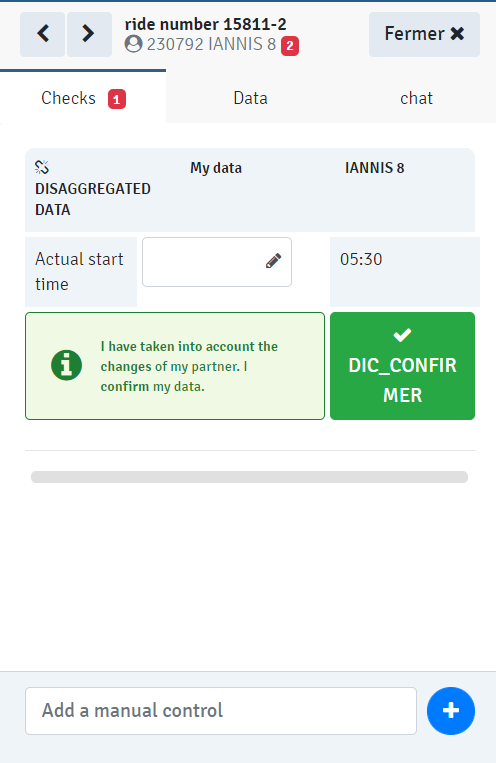
IMPORTANT : In this new version of WAY-Corp, some data may differ between the data of the Order Giver (OG) and the data of the Subcontractor (ST).
When a modification occurs on a mission, 2 different actions can be requested in this control area:
- Confirm : the change is for items that may differ between you and your partner. The blue arrow between the 2 columns allows you to copy your partner’s data directly to your mission, if necessary.
By clicking on "Confirm", you confirm your data. You decide whether to apply the changes to your mission, or not as required. - Understood : the modification concerns fundamental elements (mission date, order of steps, etc.), it is already reflected in your schedule.
By clicking on "Understood", you confirm that the changes have been correctly taken into account.
New : the "Manual Control" function at the bottom of the Control tab allows you to add internal reminders about the mission. These manual controls are not transmitted to the partner.
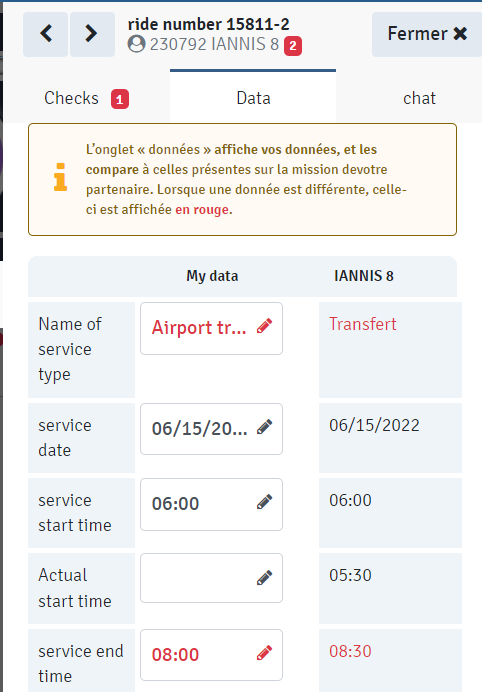
Data tab : Groups the data displayed on the ST and OG sides and compares them in real time. The data in red indicates that these are not identical on both sides
Chat tab : Groups your communications with your partner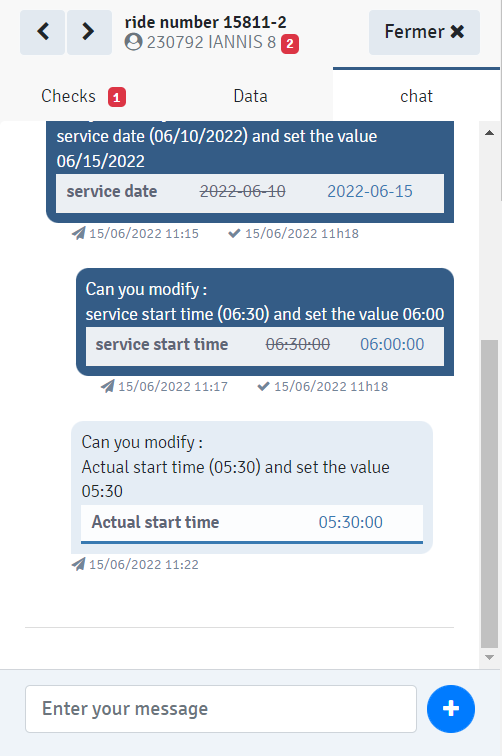
III Other new features
A/Dissociation of data:
As a OG, you have the option to complete your final billing in complete peace of mind. Indeed, once the mission is completed and the OG has passed its mission in V status:
- Its data becomes confidential and unbundled. No data is further transmitted to the subcontractor.
- The "data" tab in the control area now displays small keys, to indicate that the data is no longer visible by the ST.
B/Mission information tab :
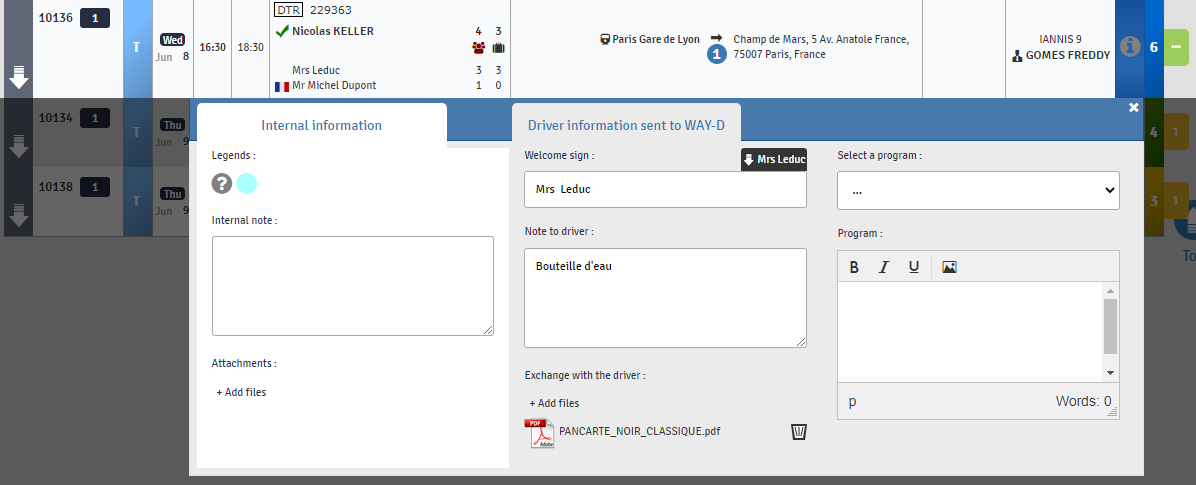
The information box allows you to group in 2 separate tabs the information necessary for the successful completion of the mission:
- Internal Information : Information that will only be visible to employees using Way-Plan. Neither the driver, nor the client, nor the passenger will see this information.
- Driver information sent to Way-D : Both the OD and the ST have the possibility to send information or documents to the driver. The sign is transmitted to the driver, even if the mission is a DTR.
If the information box is empty, it displays a question mark. If it contains information, it displays the acronym "i".
C/Pending Requests :
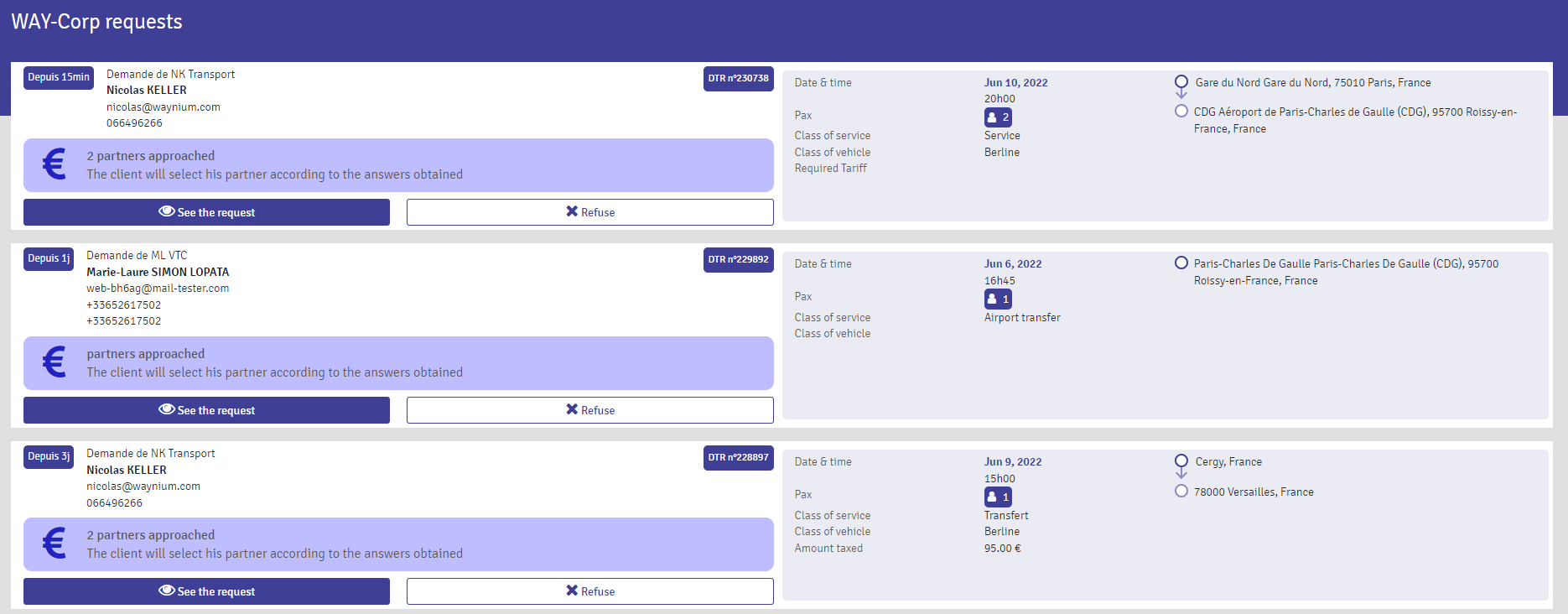
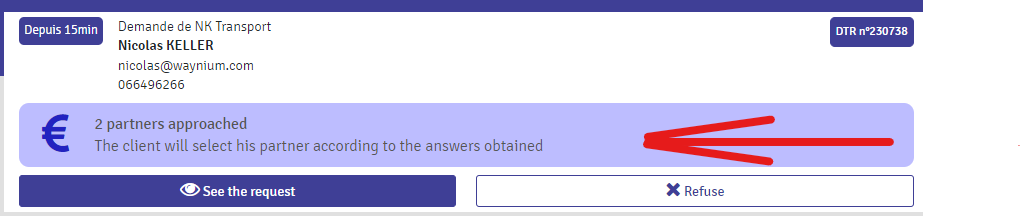
On the ST side, when you are approached by partners, your pending requests display a summary of the DTR, as well as the context of the request :
Comments
0 comments
Please sign in to leave a comment.